
Search + find code at massive scale
Search, understand, and reuse code across all of your organization’s codebases, whether 100 or 1M+ repositories, in milliseconds.
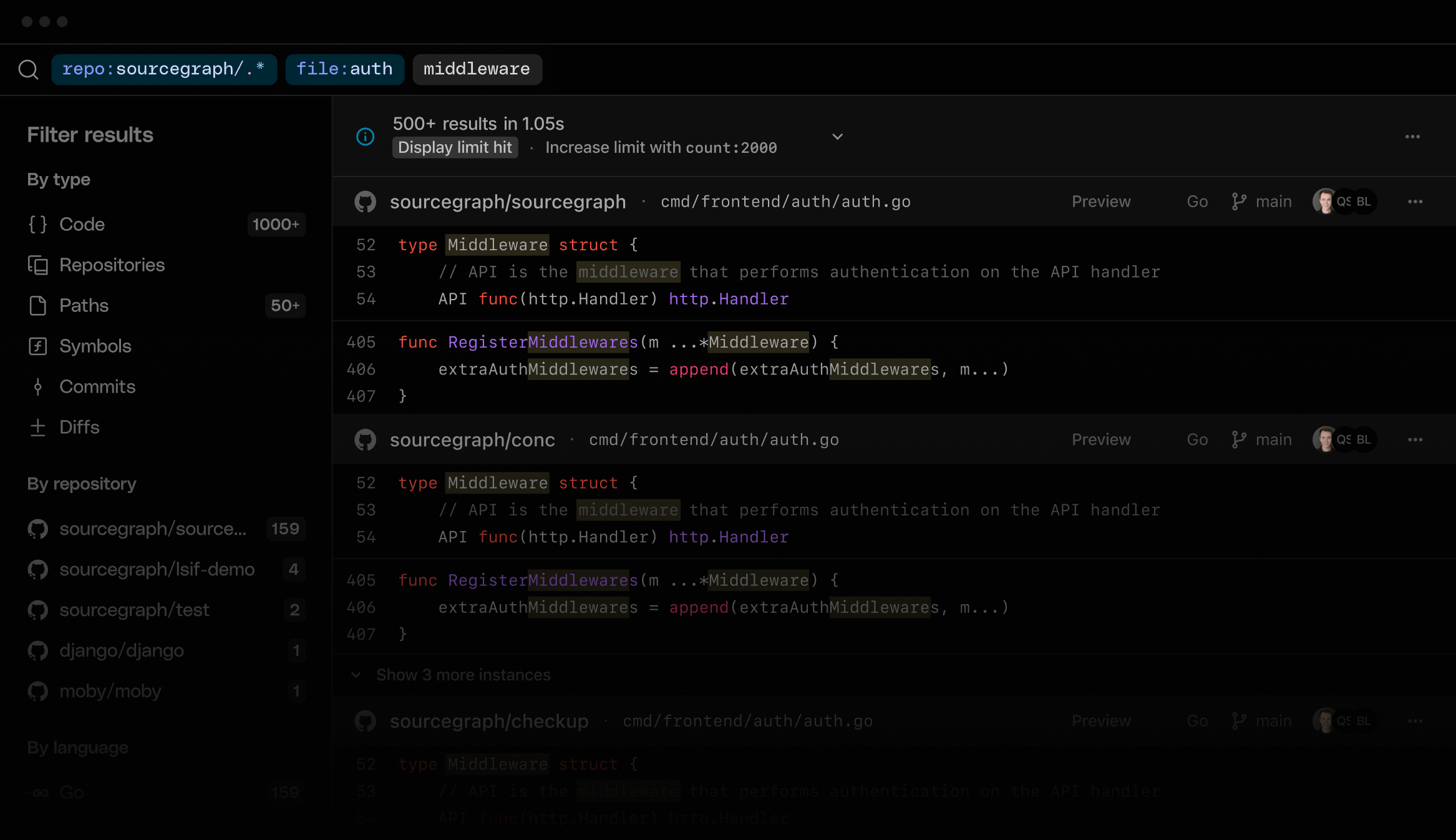
- Super-fast literal, keyword and regex search. Find the precise matches you need across every codebase, filtered by file paths, languages, or custom patterns.
- Commit + Diff Search. Track code changes and filter by author, date, or branch to find when and why they happened.
- Symbol search. Quickly find functions, variables, classes, and other code symbols by name across your codebase.
- Search contexts. Organize and target specific repo sets at chosen revisions.
- Multi-branch search. Index multiple branches for faster cross-branch queries.
- Semantic, IDE-like code navigation on the web. Jump to definitions and references like your editor, but across all of your codebases, entirely in the browser.
Lightning-fast search at enterprise scale.
Whether 100 or 1M repositories, we've got you.
 Truly universal. We support GitHub, GitLab,
Bitbucket, Gerrit, Perforce and more.
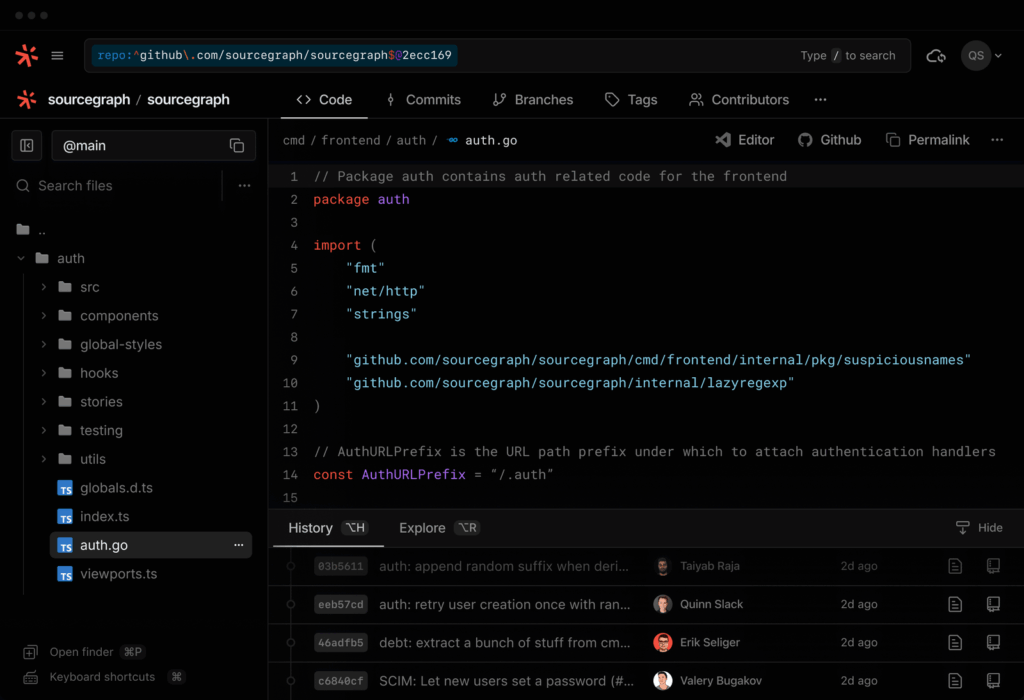
⨂ Precise code indexing. Accurate code navigation powered by SCIP-based semantic analysis.
↹ Cross-repository. Resolves symbol definitions across multiple repositories.
 Syntactic + search-based fallbacks. Code nav falls back to search or syntactic methods when precise index isn’t available.
 Commit + Diff Search. Enable fast symbol search across repository history.
See why developers love using Sourcegraph
“Sourcegraph helped me answer a question in like 5 seconds flat this afternoon. Normally I probably would have bugged a bunch of people, but the overview of “here is that snippet, and the list of repos using it” made it self-served.”
-Chris Roderick Application & Services Section Leader, CERN
“Updating all of our repositories with Batch Changes saves time, is less error-prone, and gives us confidence that everything is going to plan.”
-Joe Bingham Software Engineer, Workiva
“There have been many instances when I know something exists, but I don’t know where to start. I don’t know what repo it’s defined in or if it came from Terraform or Ansible. Now I just go to Code Search, start searching, add some filters, and I’m always able to find it.”
-James Griffin Allwood Staff Developer, 1Password
Do you wish to know more ?